

Tech Fairy Godmother Courses
Welcome to the Tech Fairy Godmother
No magic wand is required—although I do believe a little sparkle helps.
I’m Sonja Berg Hults, educator and Tech Fairy Godmother. I help adults, nonprofit leaders, and small-business owners feel comfortable and confident using technology.
These courses are designed for real people who may feel overwhelmed, frustrated, or convinced that everyone else understands technology better than they do. You are not too old. You are not too far behind. And you do not have to figure it out alone.
Together, we will take technology one step at a time. I use plain language, patient instruction, hands-on practice, and absolutely no judgment. Whether you want to explore Canva, understand AI, master Google Workspace, organize your nonprofit with Zeffy, or finally make friends with your phone, there is a place for you here.
Technology is not the magic.
The confidence you discover when you realize, “I can do this,” is the magic.
Let’s learn something wonderful together.


Courses

Course 1:
Canva Basics
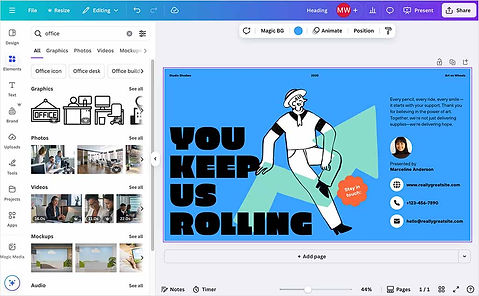
This beginner-friendly Canva course is designed for students who want to create simple, professional-looking graphics for personal use, small businesses, community organizations, nonprofits, or social media. Students do not need prior design experience.
By the end of the course, students will be able to navigate Canva, start designs from templates, edit text and visuals, apply basic design principles, organize pages, share designs, and download files in appropriate formats.
-
Canva Basics – Menus and Tools
-
Canva Basics – Fliers
-
Canva Basics – Social Media Posts
-
Canva Basics – Presentations

Course 2:
Google Workspace
This beginner-friendly Google Workspace course takes the fear and confusion out of using everyday digital tools. Through clear, step-by-step lessons, participants will learn how to use Gmail, Google Drive, Docs, Sheets, Slides, Calendar, Forms, and Meet to communicate, create documents, organize information, and work more efficiently.
Each class includes guided practice and real-life activities designed especially for beginners. By the end of the course, participants will feel more confident managing files, sharing documents, collaborating with others, scheduling meetings, and using Google Workspace in their personal, professional, or nonprofit work.
-
Welcome to Workspace
-
Work Together, Not in Copies
-
Communicate and Gather Information
-
Build the Nonprofit System
Course 3:
Zeffy Made Simple
A 4-week Thursday course. Four 2-hour classes (valued at $89 each) covering:
1. Getting Started with Zeffy
2. Creating a Donation Campaign
3. Event Registration and Ticketing
4. Donors, Communications, Reports, and Follow-Up
-
I'm a paragraph. Click here to add your own text and edit me. It's easy.

Course 4: ChatGPT Made Simple for Nonprofits
A 4-week Thursday course. Four 2-hour classes (valued at $89 each), bundled as a full course for $300, covering:
1. ChatGPT Basics and Prompts
2. Communications and Social Media
3. Fundraising and Grant Writing
4. Saving Time and Using AI Responsibly
-
I'm a paragraph. Click here to add your own text and edit me. It's easy.
.webp)
Canva Theme Parties
A monthly 1.5 hour special class that focuses on creating designs for the holidays.
Starts at $29 each
October – Halloween
November – Thanksgiving
December – Christmas
January – Winter Sports
February – Valentines
March – Saint Patrick's Day
April – Easter
-
I'm a paragraph. Click here to add your own text and edit me. It's easy.

Additional Learning Tools
FREE Resources I have created through the years
